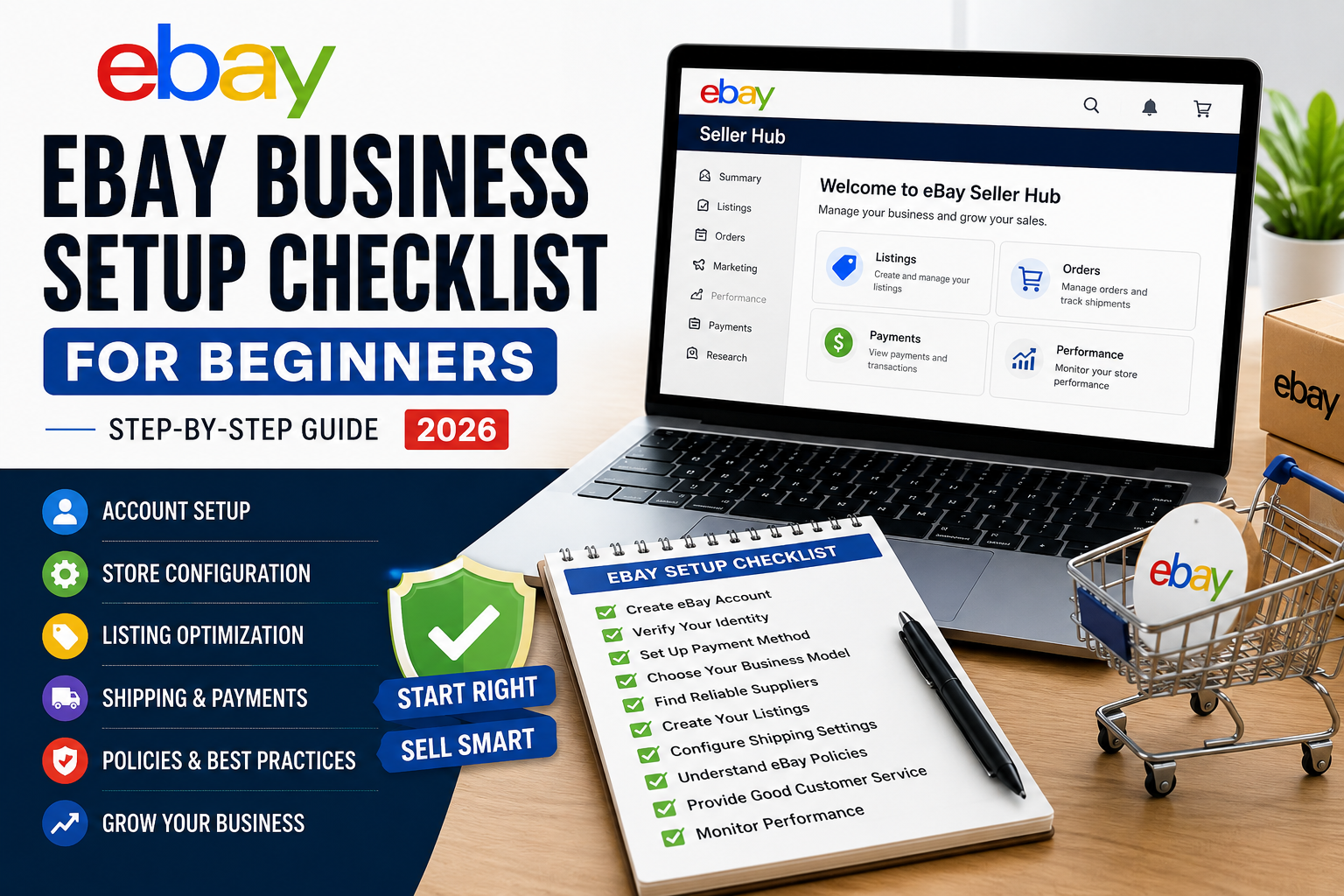
Starting an eBay business sounds simple on the surface. Create an account, list products, and wait for sales. But the reality is different. Like they don’t gave any eBay Business Setup Checklist that can help them.
Many beginners rush into selling without setting up their foundation properly. The result? Low visibility, slow sales, account issues, or even suspension.
Here’s the thing a strong setup is what separates a struggling store from a profitable one. If your foundation is right, everything else becomes easier: product research, ranking, and scaling.
In This eBay Business Setup Checklist we will walks you through every essential step to set up your eBay business the right way in 2026.
Why Setup Matters More Than You Think
Before we jump into the checklist, understand this: eBay is not just a marketplace, it’s a system.
It tracks:
- Seller performance
- Listing quality
- Buyer satisfaction
- Account activity
If your setup is weak, the system won’t trust your store. That means lower visibility and fewer sales.
A proper setup gives you:
- Better ranking potential
- Higher trust from buyers
- Fewer risks of account issues
Complete eBay Business Setup Checklist
1. Create and Verify Your eBay Seller Account
Your account is your business identity. This is the first and most important step.
What to do:
- Use your real name and details
- Verify your email and phone number
- Complete identity verification
- Set up a professional username
Avoid using fake or incomplete information. It increases the risk of restrictions later.
2. Set Up Your Payment System
To receive payments smoothly, your payment setup must be correct.
Key steps:
- Link your bank account
- Set up payout preferences
- Confirm tax and billing details
Make sure everything matches your identity. Any mismatch can delay payments or trigger verification issues.
3. Choose Your Selling Model
Before listing products, decide how you will run your business.
Common models:
- Dropshipping
- Wholesale
- Private label
- Retail arbitrage
For beginners, dropshipping is often the easiest because it requires low investment.
But whichever model you choose, stick to one direction instead of mixing everything randomly.
4. Select Your Target Market
eBay allows you to sell globally, but not all markets behave the same.
Popular markets:
- USA
- UK
- Germany
- Australia
- Italy
Each market has different demand and competition levels.
Beginners usually start with one main market and expand later.
5. Find Reliable Suppliers
Your supplier is the backbone of your business.
Bad suppliers lead to:
- Late deliveries
- Poor product quality
- Negative feedback
What to look for:
- Fast shipping
- Stable pricing
- Consistent stock
- Good reputation
Reliability matters more than low price.
6. Set Up Your Store Profile
Your store should look professional and trustworthy.
Setup includes:
- Store name
- Logo (if available)
- Clear description
- Basic branding
Even simple branding improves buyer confidence.
7. Understand eBay Policies
Many beginners ignore this step and face problems later.
Learn about:
- Dropshipping policy
- Return policy rules
- Listing guidelines
- Restricted items
Following policies protects your account from suspension.
8. Create Your First Listings (Properly)
Now comes the real part — listing products.
Focus on:
- SEO-optimized titles
- Clear product descriptions
- High-quality images
- Accurate pricing
Avoid copy-paste listings. They rarely perform well.
9. Fill Item Specifics Completely
Item specifics help eBay understand your product.
Include:
- Brand
- Color
- Size
- Type
- Material
More details = better visibility in search.
10. Set a Smart Pricing Strategy
Pricing affects both ranking and conversion.
Keep in mind:
- Product cost
- eBay fees
- Shipping costs
- Competitor pricing
Start competitive, then adjust based on performance.
11. Configure Shipping Settings
Shipping plays a big role in buyer decisions.
Best practices:
- Offer fast shipping when possible
- Be clear about delivery time
- Provide tracking information
Late or unclear shipping can hurt your account.
12. Set Return Policy Clearly
Buyers want to feel safe when purchasing.
Your return policy should:
- Be clearly written
- Match eBay guidelines
- Be fair and transparent
A clear return policy increases trust and conversions.
13. Prepare for Order Handling
Once you start getting orders, you need a system.
Make sure you:
- Process orders quickly
- Update tracking on time
- Communicate with buyers
Good handling leads to better feedback and ranking.
14. Focus on Customer Service
Customer experience affects your long-term success.
Key areas:
- Quick response time
- Problem resolution
- Professional communication
Even one bad experience can affect your account performance.
15. Monitor Your Store Performance
Your work doesn’t stop after setup.
Track:
- Sales
- Traffic
- Conversion rate
- Feedback
This helps you improve continuously.
Common Mistakes Beginners Make
Avoid these mistakes:
- Skipping proper setup
- Choosing random products
- Ignoring SEO
- Using poor suppliers
- Not understanding policies
These mistakes slow down growth and increase risks.
Quick Setup Summary
If you want a simple checklist:
- Create verified account
- Set up payments
- Choose business model
- Select market
- Find supplier
- Optimize listings
- Set pricing
- Configure shipping
- Understand policies
- Track performance
Final Thoughts
Starting an eBay business is not complicated, but it requires the right setup. Most beginners fail because they rush into selling without building a proper foundation.
If you follow this checklist, you avoid common mistakes and set your store up for long-term success. What this really means is simple: A strong setup leads to stronger results.
Ready to Launch Your eBay Business?
If you want to start your eBay store the right way without trial and error, we can help you build a complete setup with proven strategies.
Let’s create a store that is ready to sell from day one.